Friday, August 8, 2014

Corona Schools just about ready to roll for the 14.15 School Year & Celebrate having one of the Best!

Corona Schools Business Manager Barbara Sultemeier was honored this year twice for Business Manager of the Year!  Once at NMASBO, and again at the NMCEL.  Congratulations Barbara. 


Many Business Managers across the state have benefited from Barbara's knowledge of school finance and Visions accounting software.  Thanks Barbara for your willingness to always help.

Corona is excited to start the new school year and will enjoy some great new technology.  New iPads in the Elementary, a new large interactive touch screen that can function like a combination of a interactive white board and a infocus and New Lenovo laptops for the Elementary Teachers.  Corona students will also be taking advantage of a great new digital book resource that provides non-ficitional books that are CCSS aligned and also has activities for writing as well.  Check out  https://load.biguniverse.com/
-----------------------------------------------------------------------------------------------------------

Bryan's Technology App of the week
  • CCSS Technology Standard Addressed - X.SL.5 - Use a fun storytelling app that allows students, teachers and anyone with creativity to easily create stories or presentations based on photos, images or slides using a smartphone or tablet..
30 Hands Story Telling App - This is another excellent App for use with students to easily create presentations either as individual projects or working in small groups. This easy to use App also allows students to incorporate video into their presentations which they can create from the mobile device itself or embed from another source.  30 Hands has a free version that works really well, with paid version that gives you more options for publishing and sharing.

New this week is a added web resource:

Friday, August 1, 2014

Capitan Schools Technology Preparation

Capitan Schools Technology Preparation for 2014-2015

It takes teamwork to get a schools technology ready for a new school year.  At Capitan Schools folks of all ages have pitched in this year to help.  

Special thanks to: Frank Dooley, Emilee, Breinna, Aubree & Bronston

Capitan will be enjoying great new technology this year including:
  • 30 new iPads in a rolling cart in the Elementary & Apple TV's which will allow students to display their iPad work to the class wirelessly.
  • 80 new Lenovo laptop computers distributed in rolling carts in the High School, Middle School & Elementary.
  • A new computer lab in the Middle School where students will have access to the latest technology.
  • Projectors with Smartboards are now available in almost all classrooms - See Shane & Robert proudly working in the Middle School computer lab.

--------------------------------------------------------------------------------------------------------------------
Bryan's Technology App of the week
  • CCSS Technology Standard Addressed - X.W.8 - Gather relevant information from multiple print and digital sources, using search terms effectively; assess the credibility and accuracy of each source; and quote or paraphrase the data and conclusions of others while avoiding plagiarism and following a standard format for citation.
Adobe Voice for iPads - Want a simple to use, Free, App that allows you to create stunning presentations with graphics custom backgrounds and music.  This App would be great for small group work, use with any subject, any grade level, to do a research project using pictures or screenshots and adding narration of each participant.  You can even choose from built in music files to enhance your presentations.
Add an Apple TV to allow your small groups to present out to the entire class.


Wednesday, May 14, 2014

5th and 6th Graders Create Phenomenal Research Presentations

After weeks of research and hard work 5th and 6th grade Region IX students completed stellar, 100% paperless research projects, with the assistance of Region IX's IT Support Teacher and Google Drive. To further accelerate these projects the class used a free online program called "Prezi" to present the information they had discovered through their research. Using Prezi students were able to move their research information from Google Drive into their presentation with ease. To make presentations more dynamic Prezi allows for quick video and image embedding. Students are able to search Google for images within their prezi editor and then simply drag and drop the image where they want on their presentation. While Prezi is very simple to use and acts similarly to Powerpoint, you will see below that it tends to be more engaging. Check out some of the magnificent work these 5th and 6th graders completed.


As always if you have any questions regarding these presentation contact us at info@regionix.org.

Thursday, May 1, 2014

Billy the Kid Field Trip a Success! - Lincoln, NM

Friend or Enemy?
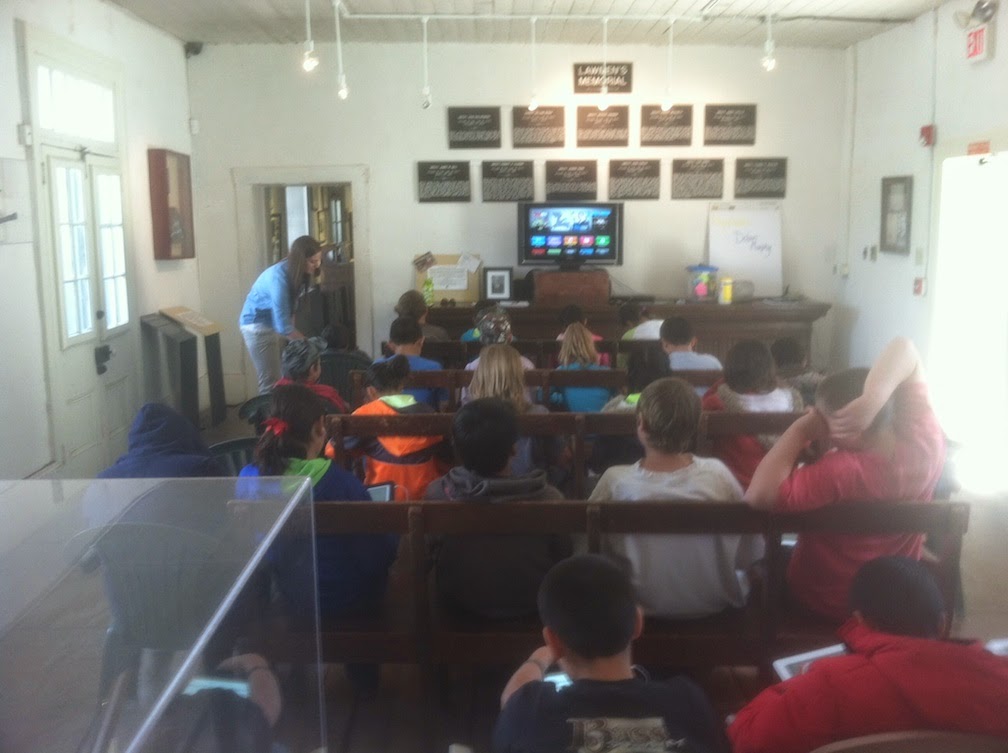
Jana Shafer works with 75 students from 4 Region IX Member Districts April 30th, 2014.  Using iPads, Apple TV,  and some borrowed wifi in Lincoln students listened individually on iPads to a Song about Billy the Kid. Typing their responses on the iPads, they then responded to pre-developed questions relating to the singer/songwriter being a friend or an enemy of Billy.  After writing their responses and finding evidence to support those responses students were able to orally defend their choice to their peers.  A typical comment from chaperons, parents and teachers went something like this:  "What a nice field trip, the kids were much more engaged and it really became meaningful to them."
For more information regarding technology curriculum integration from Region IX contact info@regionix.org