Tuesday, December 9, 2014

Post#16 - • Evernote • EMaze

App of the Week - Evernote  - Your students should be using Evernote

Evernote is the modern workspace that helps you be your most productive self. You’re on the path to something big — Evernote is where you do the work to achieve it.

- Write notes of all types, from short lists to lengthy research, and access them on any device.
- Collect web articles, handwritten notes, and photos to keep all the details in one place. 
- Find your work quickly with Evernote’s powerful search.
- Present your work as it takes shape for better collaboration in meetings. 

Move projects forward with Evernote:

- Take notes: write in a clean, distraction-free workspace.
- Get organized: create notebooks and add tags to wrangle projects.
- Access anywhere: keep your work in sync across devices.
- Find anything fast: text in notes, photos, and PDFs is searchable.
- Share ideas and resources: create a workspace for collaboration with shared notebooks.
- Keep up with to-do’s: make to-do lists and check items off as you go.
- Harness creativity: capture ideas while they’re fresh, wherever you are.
- Prepare for meetings: draft agendas and to-do’s for next time.
- Manage expenses: organize receipts, bills, and invoices to keep expense reports in check.
- Plan business travel: save reservations and tickets for simple trip planning.
- Make connections: turn business cards into rich digital contacts. 

___________________________________________________________

Web Resource of the Week - EMaze (Powerful presentation software that includes 3D ability)
Emaze is a Free on-line presentation tool with 1,000's of templates.  It is the next generation of online presentation software. Simply select any of our professionally designed free presentation templates to easily create an amazing visual experience for your audience. emaze features a proprietary state of the art HTML5 presentation maker that will create the slideshows, video presentations and even 3D presentations that you always dreamed of.
http://www.emaze.com/?emazehome


Tuesday, December 2, 2014

Post #14 Happy Holidays!!! • News O Matic • Blubr • Quozio

Happy Holidays!  Here are 3 "huge" recommendations for your holiday leisure time that you can subscribe to and brush up on so you will be ready to go in January.  

App of the week:  Newsomatic - Grade levels 1-2, 3-4, 5 & more.  


  • Remember Newsela - what a great web resource for grades 4 & up.  Great non-fictional current media articles that are lexile rated and have assessments associated with them.  Well here's another great way to reach kids with a different twist.  

News-O-Matic is the daily newspaper for kids on iOs and Android, an exciting and engaging nonfiction experience, and a fantastic modern educational tool. It gives young readers a window into the world — and a reason to love reading news for kids. Whether the stories are about India’s election, the World Cup, or the moons of Saturn, they provide students opportunities to make connections in meaningful ways and inspire children every day.
Students can react to the news, either by writing or drawing; their words and art may reach their peers around the world.

  • Kids vote for their favorite articles.
  • Students talk to astronauts, athletes, congressmen, and artists: They are the ones who come up with questions during interviews! 
  • Interactive maps that locate the story relative to the student – with integrated geography and math facts
  • In-app audio playback of complete articles via a Read-to-Me function
  • Definitions and pronunciation support for difficult words
  • Games that relate to the news of the day
  • Translations to Spanish – with Spanish language audio – at the tap of a button
  • Classrooms can pick the news and design a News-O-Matic edition through the Junior Editor-In-Chief program!
  • Daily Teacher’s Guide available, with lesson plans and additional resources for the classroom


Web Resource#1 - Blubbr
Blubbr - A interactive assessment tool that allows you to create multiple choice questions based on short video clips.
Using Blubbr you can create interactive quizzes that are based on YouTube clips. Your quizzes can be about anything of your choosing. The structure of the quizzes has a viewer watch a short clip then answer a multiple choice question about the clip. Viewers know right away if they chose the correct answer or not.

Web Resource#2
Quozio - Allows you to make your own quotes.

What is Quozio?

Quozio turns meaningful words into beautiful images in seconds. Then share 'em on Facebook, Pinterest, email and more!

How do I use Quozio?

Just visit quozio.com and fill in your quote. Or, even faster, get the bookmarklet which lets you instantly create an image out of any text you highlight on a web page.

After you provide your quote, scroll through the various styles and find the one that best matches it. Then the best part - share with your friends!

Here's a sample:


Tuesday, November 25, 2014

Post #13 Adobe Voice • Buzz Monster • Factual Research "All About Explorers"

Adobe Voice in Action!
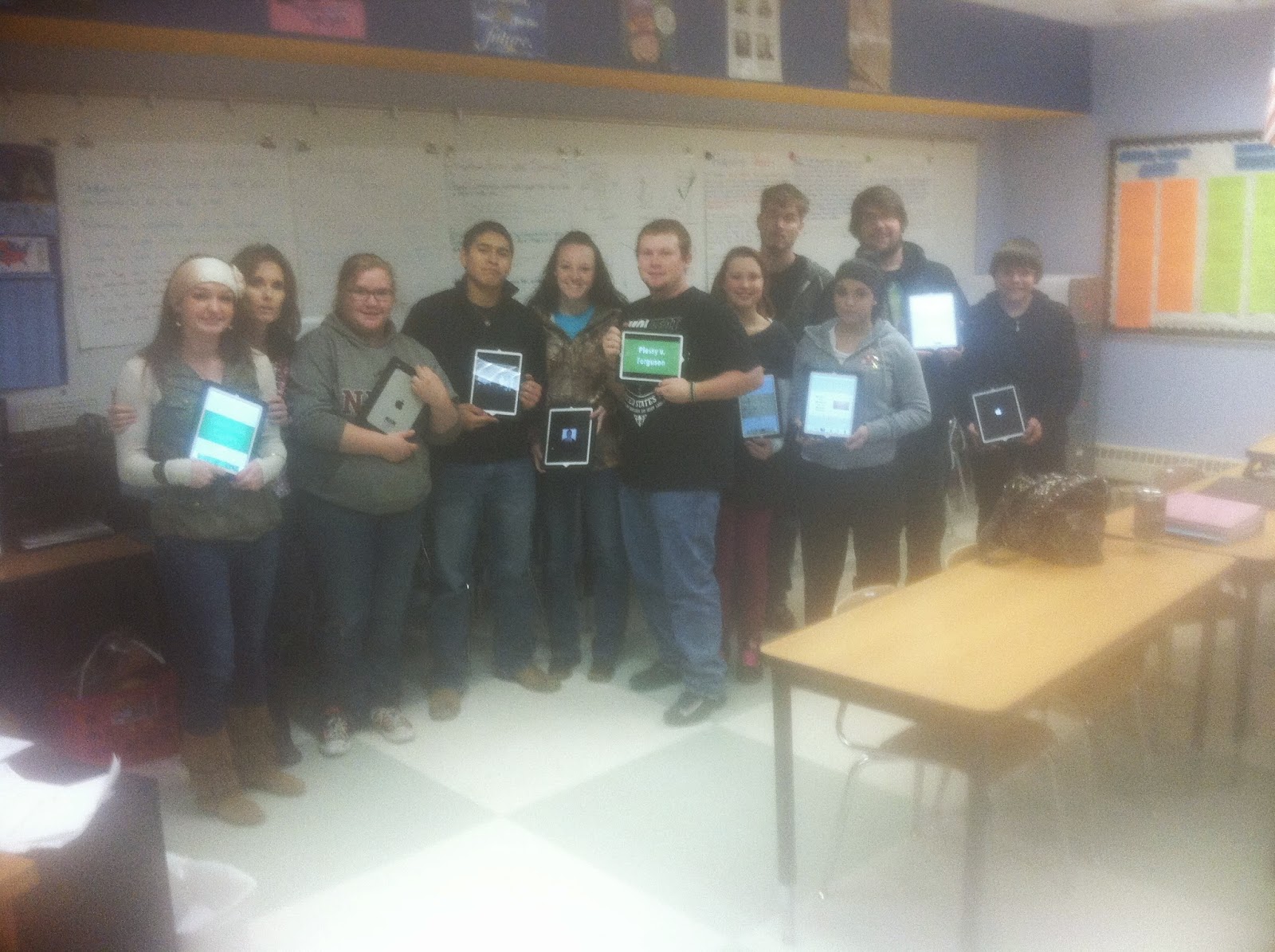
I was privileged this week to see seniors in Cloudcroft this week using Adobe Voice deliver amazing presentations from their iPads thru the Apple TV using adobe voice regarding the Judicial Branch of government.  Congratulations Mrs. Kelly Goss for your innovative work with technology in our schools.
10 Seniors & Mrs. Goss displaying their Adobe Voice presentations on their ipads

App of the week - Buzz Monster
Are you a teacher looking to promote good fun academic competition in your classroom? Now you can create your own Jeopardy style games and share them from 1-to-many iPads with Buzz Monster, an outrageously fun quiz game for 2-3 players.
Buzz Monster is a multiplayer game that allows up to 3 students to learn with a single iPad. When a game begins players take it turn picking questions from the various categories available. After the question is shown, the first player to “Buzz in” has the opportunity to answer the question. Points are awarded for correct answers, and if a player gets 4-in-a-row on the game board they can earn bonus points.
Play continues until all tiles on the board have been attempted and at the end of the game the player with the most points is declared as the winner.

----------------------------------------------------------------------

Here is a Web Resource You should be using.

All about Explorers
Since this site was developed as a teaching tool for educating students about how to search better on the Internet (see About This Site for more details), we have published on this page a list of the lessons, handouts, and other tools that we have used with our own students.
We encourage you to send us your own ideas. If you have created other lessons using our site, or you have suggestions or comments to make about the plans and materials included here, we would love to hear from you. Write to us atteachers@allaboutexplorers.com.
One note about the Treasure Hunts we have included here. On the main page you will see a list of links to the individual hunt pages. These are differentiated so that you may assign different hunts to students with different ability levels. Next to each is a colored dot which indicates the level of challenge:
Basic levelThese hunts contain fact-oriented questions. The answers are relatively easy to locate on the page.
Moderate levelThese hunts contain fact-oriented questions which will take some additional searching or deeper reading to answer.
Advanced levelAdvanced hunts are more challenging and may require students to use inference and logic to determine answers.

Tuesday, November 18, 2014

Post #12 • Kahoot • Ed Tech Understanding Trends in Technology

Have you ever had a Kahoot?
This weeks "app" is Kahoot 
Its really not an "app".  Its a Free Student Assessment tool that you should try.  It is web based, quick and easy to setup and use.  Go to https://getkahoot.com/ set up your free account.  compatible with any mobile device or computer with web access it allows you a ton of flexibility.

Create, manage and share questions

  • Using our simple and speedy ‘drag n drop’ creation tool, create and manage ‘Kahoots’ in the form of quizzes, surveys or polls related to specific topics; either asking quick questions ‘on the go’ to get feedback or opinion, or more in depth questions for formative assessment. Content can be shared with educators, learners or colleagues globally.
  • Answer questions through a powerful classroom engagement tool


    Launch Kahoots on the screen at the front of the room, and learners join through their personal devices. In real-time and with gaming elements to increase engagement and motivation, learners answer questions through their personal devices. Educators get an overview of the current knowledge levels of everyone in the room for formative assessment, and can adapt their teaching accordingly.
  • Educators challenge learners to ask their own questions


    Either collaboratively or individually, and motivated to gain a deeper knowledge of specific topics, learners are challenged to create their own Kahoots in the form of quizzes. Through their personal device, learners think up and answer their own questions through thorough research and the collation and/or self creation of imagery and video. Their learning is reinforced by thinking up potential wrong answers to questions, as well as the right ones.
  • Learners become leaders by asking their questions back


    Learners share their new found knowledge by playing their Kahoot back to other learners. Educators assess the quality of questions they are asking, whilst the other learners answer the questions through the powerful classroom engagement tool.


Web Resource this week is a cheat sheet of terminology & definitions that you may be hearing in your profession.